
絕大部分的應用場景都在 CORS 的 Preflight Request,會在未來的篇章 cross-origin-resource-sharing 介紹到
在學習 HTTP Header 的過程,我會把 MDN 文件 跟 RFC 文件 一起對照著看。概念上是 MDN 會照著 RFC 的規範來撰寫 "面向開發者好閱讀" 的技術文章,並且提供程式範例,但偶爾也會遇到兩邊 Spec 不一致的問題。
我這次剛好遇到 RFC 規範 說 OPTIONS 請求可以搭配 Request Body,原文是
A client that generates an OPTIONS request containing content MUST send a valid Content-Type header field describing the representation media type. Note that this specification does not define any use for such content.
但 MDN 文件 卻說不能帶 Request Body,所以就順手發了一個 PR,也順利在一天後 Merge 了。算是深入研究 HTTP,偶爾能獲得的一個開源貢獻小成就(?
TRACE allows the client to see what is being received at the other end of the request chain and use that data for testing or diagnostic information.
把可能洩露機敏資訊的 Headers 移除,原因是有發生過資安漏洞,可參考 xst-cross-site-tracingmessage/http
TRACE 了,此時可回傳 405 Method Not Allowed
RAW HTTP Request
TRACE / HTTP/1.1
Host: localhost
User-Agent: curl/8.7.1
Accept: */*
RAW HTTP Response
HTTP/1.1 200 OK
Content-Length: 74
Date: Wed, 04 Sep 2024 11:50:24 GMT
Server: Apache/2.4.59 (Unix)
Content-Type: message/http

TRACE / HTTP/1.1
Host: example.com
User-Agent: curl/8.7.1
Accept: */*
由於支援 TRACE Method 的 Web Server 跟程式語言框架比較少,原因可參考 xst-cross-site-tracing,我後來找了一番,發現 Apache 這個比較老牌的 Web Server 預設有支援,所以我們就來下載~
XAMPP For Windows 下載網址:https://sourceforge.net/projects/xampp/files/XAMPP%20Windows/8.2.12/xampp-windows-x64-8.2.12-0-VS16-installer.exe/download
安裝時,PHP, Tomcat, MySQL 等等全都取消勾選,本節只有要用到 Apache 而已,XAMPP 安裝的組合包有
brew install httpd
vim /opt/homebrew/etc/httpd/httpd.conf # Listen 8080 改為 Listen 80
sudo brew services start httpd
安裝且啟動後,瀏覽器輸入 http://localhost/ ,有看到畫面就代表成功了!
Windows XAMPP 會看到 Dashboard 頁面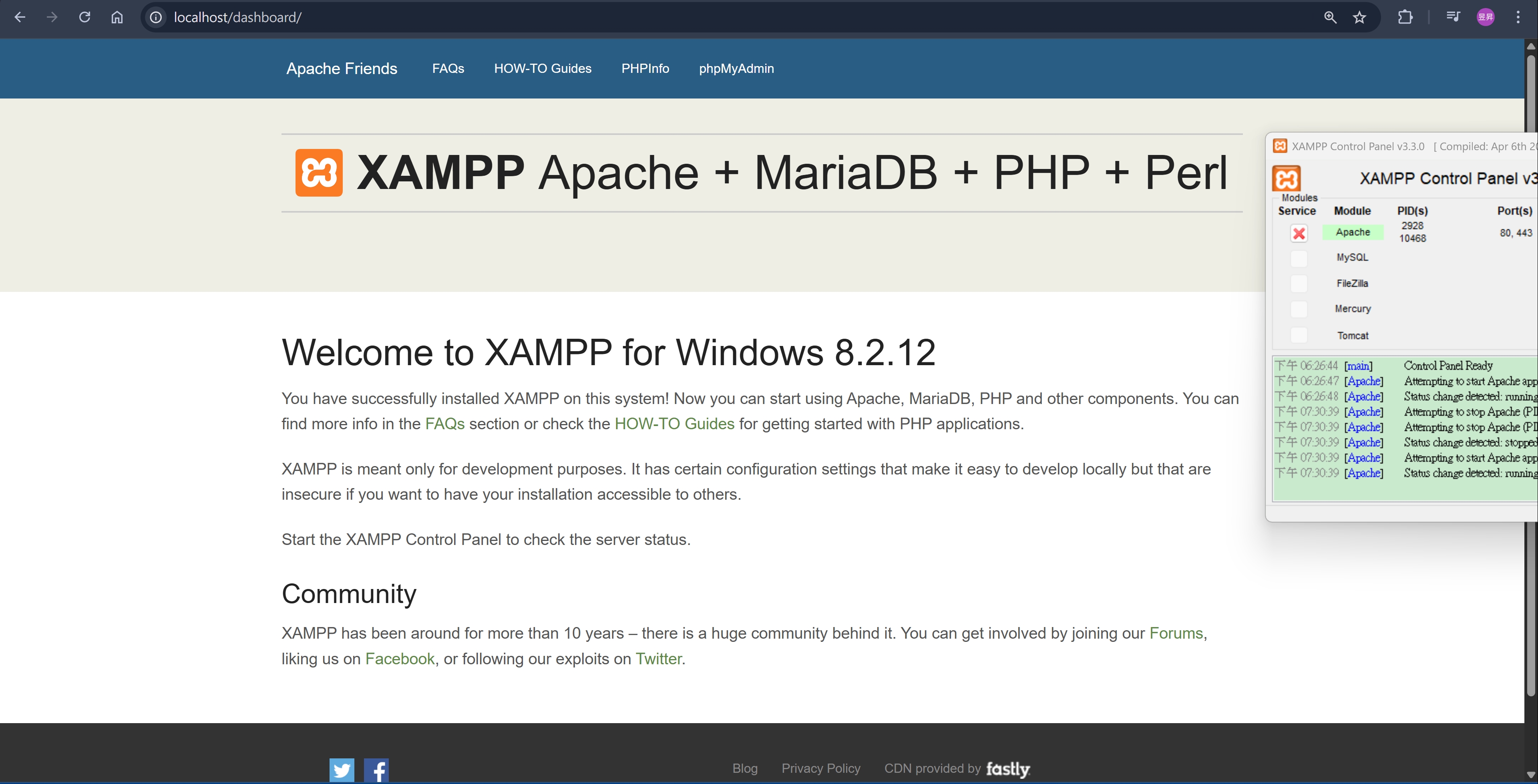
Mac 會看到 It works!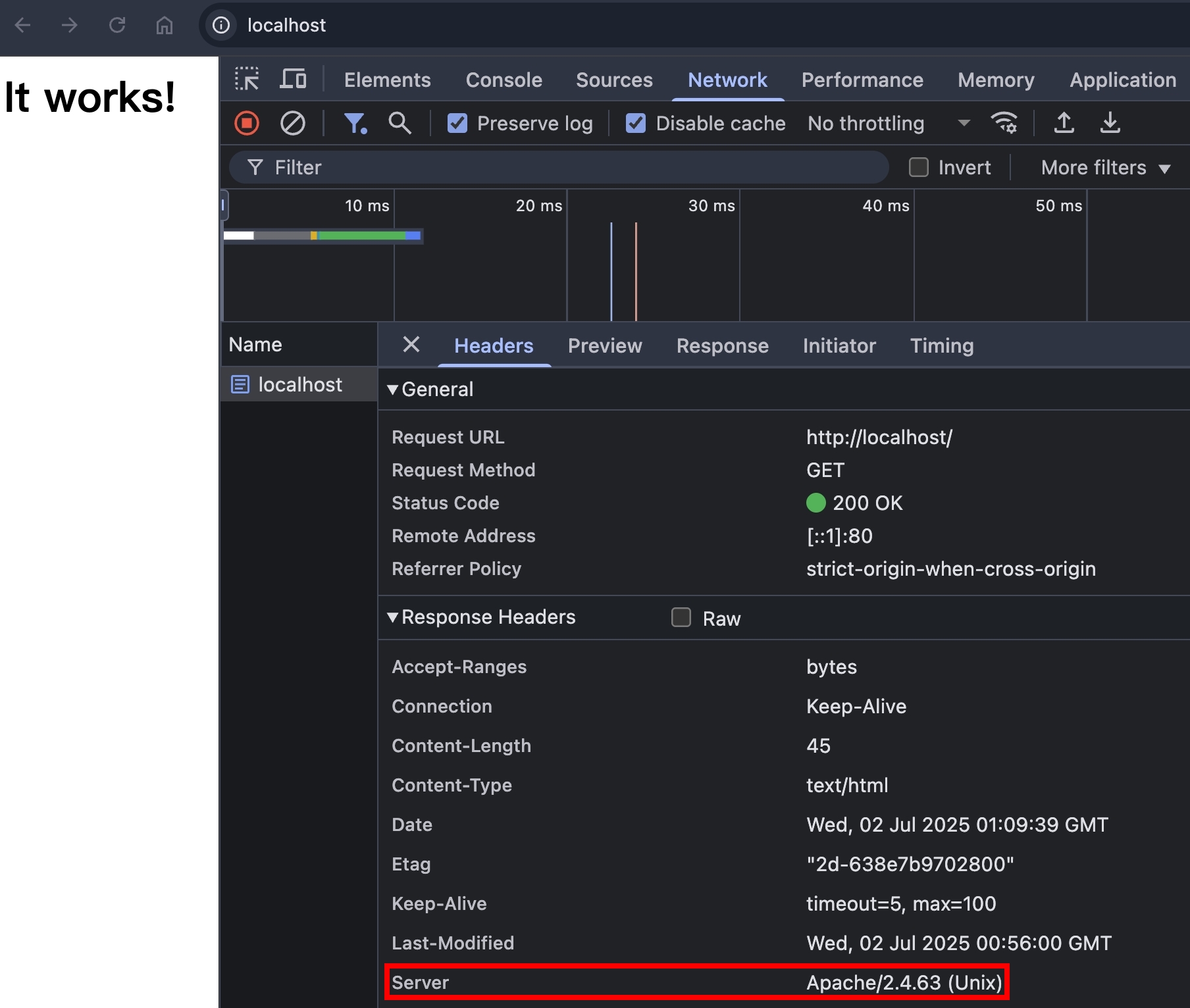
由於無法透過瀏覽器的 JavaScript 發出 TRACE Request,所以我們使用 curl -X TRACE http://localhost -v
Raw HTTP Request
> TRACE / HTTP/1.1
> Host: localhost
> User-Agent: curl/8.7.1
> Accept: */*
Raw HTTP Response,可以看到 Content-Type: message/http,以及 body 包含整包 RAW HTTP Request
< HTTP/1.1 200 OK
< Date: Wed, 02 Jul 2025 01:25:41 GMT
< Server: Apache/2.4.63 (Unix)
< Transfer-Encoding: chunked
< Content-Type: message/http
<
TRACE / HTTP/1.1
Host: localhost
User-Agent: curl/8.7.1
Accept: */*
格式:
Max-Forwards: <number>
Max-Forwards: 10
規則:
TRACE 或是 OPTIONS Method 搭配使用Max-Forwards 的值減 1Max-Forwards: 0 的時候,就要把當下的 RAW HTTP Request 寫進 HTTP Response Body 並且回傳Max-Forwards 的值 >= 0,且 HTTP Request 已經傳送到 Origin Server,此時就會把當下的 RAW HTTP Request 寫進 HTTP Response Body 並且回傳有了基本概念,我們來嘗試看看 curl -X TRACE -H "Max-Forwards: 1" http://localhost -v
RAW Response Body
TRACE / HTTP/1.1
Host: localhost
User-Agent: curl/8.7.1
Accept: */*
Max-Forwards: 1
因為 Apache 後面沒有節點了,所以直接回傳 Max-Forwards: 1,符合預期。但接下來會需要讓 Apache 當中間結點,所以需要設定 httpd.conf
Windows XAMPP,在 Control Panel 可以打開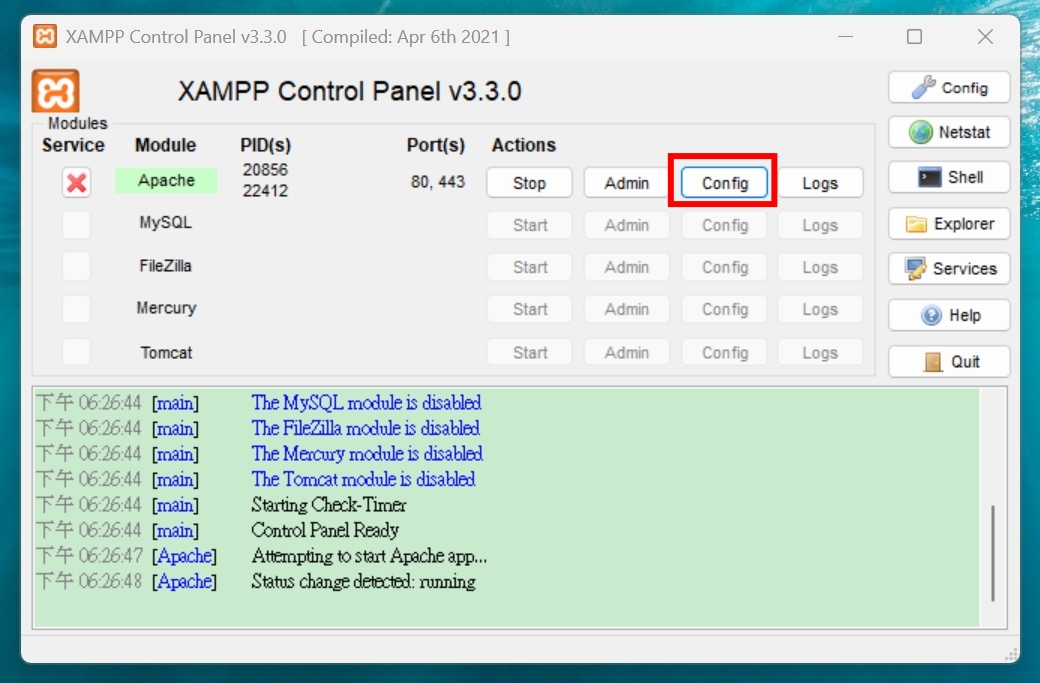
Mac 的話,輸入 vim /opt/homebrew/etc/httpd/httpd.conf
加入以下程式碼,將請求反向代理到 http://localhost:5000/ ,也就是我們的 NodeJS HTTP Server
httpd.conf
# For Windows XAMPP
LoadModule proxy_module modules/mod_proxy.so
LoadModule proxy_http_module modules/mod_proxy_http.so

# For Mac
LoadModule proxy_module lib/httpd/modules/mod_proxy.so
LoadModule proxy_http_module lib/httpd/modules/mod_proxy_http.so

<VirtualHost *:80>
    ServerName localhost
    ProxyPreserveHost On
    ProxyRequests Off
    <Location />
        ProxyPass http://localhost:5000/
        ProxyPassReverse http://localhost:5000/
    </Location>
</VirtualHost>
修改完以後重啟 sudo brew services restart httpd,接著實作 NodeJS HTTP Server 的部分
有了 TRACE 的基本概念,要實作也不難。接下來的範例,我們會以 NodeJS HTTP Server 當作 Origin Server,也就是不管 Max-Forwards 是多少,它都會直接把 RAW HTTP Request 寫入 HTTP Response Body
// Act as a Origin Server
if (req.method === "TRACE") {
  console.log(req.headers);
  const startLine = `TRACE ${req.url} HTTP/1.1\r\n`;
  const reqHeadersToRawHTTP = Object.entries(req.headers)
    .map(([key, value]) => `${key}: ${value}`)
    .join("\r\n");
  const body = startLine + reqHeadersToRawHTTP + "\r\n\r\n";
  res.setHeader("Content-Type", "message/http");
  res.end(body);
  return;
}
測試 curl -X TRACE -H "Max-Forwards: 1" http://localhost -v
RAW HTTP Request
> TRACE / HTTP/1.1
> Host: localhost
> User-Agent: curl/8.13.0
> Accept: */*
> Max-Forwards: 1
RAW HTTP Response
TRACE / HTTP/1.1
host: localhost
user-agent: curl/8.13.0
accept: */*
max-forwards: 0
x-forwarded-for: ::1
x-forwarded-host: localhost
x-forwarded-server: localhost
connection: Keep-Alive
可以看到 Apache 在 Request Headers 加了這些
x-forwarded-for: ::1
x-forwarded-host: localhost
x-forwarded-server: localhost
connection: Keep-Alive
繼續測試 curl -X TRACE -H "Max-Forwards: 0" http://localhost -v,理論上 NodeJS 這邊不會收到請求
RAW HTTP Request
> TRACE / HTTP/1.1
> Host: localhost
> User-Agent: curl/8.13.0
> Accept: */*
> Max-Forwards: 0
RAW HTTP Response(這次 Apache 就直接回傳了,沒有再繼續反向代理,所以也少了 x-forwarded-* 那些 Headers)
TRACE / HTTP/1.1
Host: localhost
User-Agent: curl/8.13.0
Accept: */*
Max-Forwards: 0
繼續測試 curl -X TRACE -H "Max-Forwards: -1" http://localhost -v,看看 Apache 有沒有做錯誤邊界處理XD
RAW HTTP Response(Apache 果然也是成熟的 Web Server,這種錯誤邊界都有包含到)
<!DOCTYPE HTML PUBLIC "-//IETF//DTD HTML 2.0//EN">
<html><head>
<title>400 Proxy Error</title>
</head><body>
<h1>Proxy Error</h1>
<p>Your browser sent a request that this server could not understand.<br />
The proxy server could not handle the request<p>Reason: <strong>Max-Forwards request header could not be parsed</strong></p></p>
<hr>
<address>Apache/2.4.58 (Win64) OpenSSL/3.1.3 PHP/8.2.12 Server at localhost Port 80</address>
</body></html>
繼續測試 curl -X TRACE -H "Max-Forwards: 0" -d "Hello World" -http://localhost -v
RAW HTTP Response(再次讚嘆 Apache 的錯誤邊界處理)
<!DOCTYPE HTML PUBLIC "-//IETF//DTD HTML 2.0//EN">
<html><head>
<title>413 Request Entity Too Large</title>
</head><body>
<h1>Request Entity Too Large</h1>
The requested resource does not allow request data with TRACE requests, or the amount of data provided in
the request exceeds the capacity limit.
<hr>
<address>Apache/2.4.58 (Win64) OpenSSL/3.1.3 PHP/8.2.12 Server at localhost Port 80</address>
</body></html>
關於 Max-Forwards 的測試到這邊~接下來的主題跳比較快,會介紹一個由 TRACE 引起的資安漏洞
以下 PoC 無法在現代瀏覽器還原,程式碼是參考 XMLHttpRequest2-20080225#response-metadata 這份文件,僅供參考
var client = new XMLHttpRequest();
client.open("TRACE", "https://www.facebook.com/", true);
client.send();
client.onreadystatechange = function() {
 if(this.readyState == 3) {
  print(this.getAllResponseHeaders());
 }
}

// ...should output something similar to the following text:
Date: Sun, 24 Oct 2004 04:58:38 GMT
Server: Apache/1.3.31 (Unix)
Keep-Alive: timeout=15, max=99
Connection: Keep-Alive
Transfer-Encoding: chunked
Content-Type: text/plain; charset=utf-8
https://www.facebook.com/ 登入狀態的 cookies 等等資訊getAllResponseHeaders
If the readyState attribute has a value other than 3 (Receiving) or 4 (Loaded), it MUST return null. Otherwise, it MUST return all the HTTP headers, as a single string, with each header line separated by a CR (U+000D) LF (U+000A) pair. The status line MUST not be included.
The getAllResponseHeaders() method provides access to all response headers as a single string. When invoked, the user agent must act as if it had run the following steps:
1. ......
2. If the error flag is "true" or the same-origin flag is "false" return null and terminate these steps.
TRACE 請求已經沒有什麼 Origin Server 會實作了沒想到一個 TRACE 請求就可以寫這麼多故事,雖然它在 2025 年已經沒啥使用場景了,但從 xst 這個資安漏洞,也可以看到瀏覽器安全性的演進歷史,對於了解 CORS 的設計初衷,有非常大的幫助。從攻擊的手法,去了解要怎麼防範,我覺得是一個非常好,且記憶會非常深刻的學習方式。希望各位有學到新東西呦~



 iThome鐵人賽
 看影片追技術